

Pages
AI writing assistant
Aveela supports writing with an AI assistant. You remain in control: you always review suggestions yourself before accepting them.
Revise text
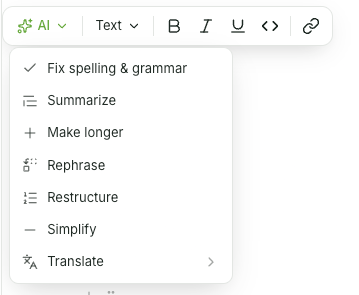
Select text and choose AI in the context menu. The options are:
Spelling & Grammar, Simplify, Rephrase, Restructure
Summarize, More Detailed
Translate (with language selection: English, German, French, Spanish, Italian, Portuguese, Dutch, Polish)
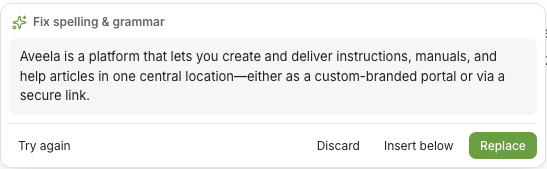
The result appears in a preview field—where it can still be edited—with the options Try Again, Discard, Insert Below, and Replace.
Design a page from screenshots
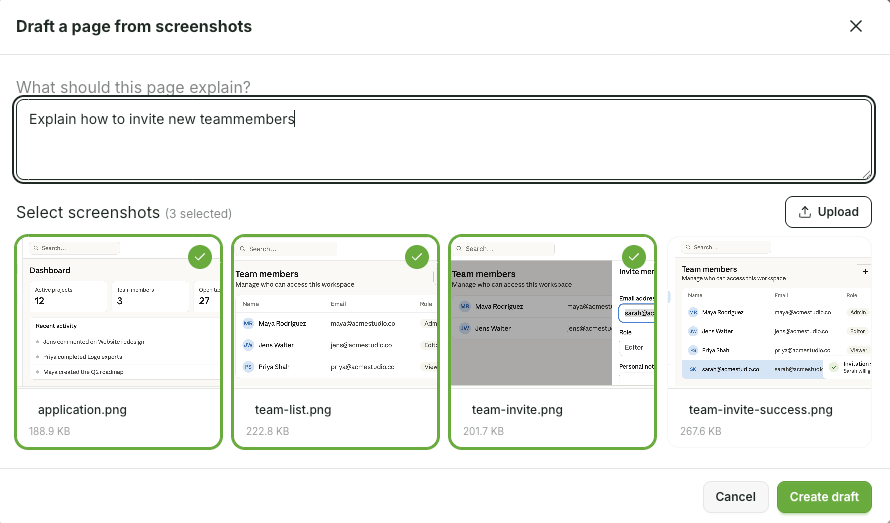
Start on a blank page (or via / → AI Design): Design from screenshots - upload screenshots, describe in one sentence what the page should explain, and Aveela will generate a structured draft with headings, text, notes, and steps.
That fits perfectly with the Browser extension, which you can use to take screenshots of entire pages (see Chapter Publish & Share)