

Pages
Manage Portal members (customers)
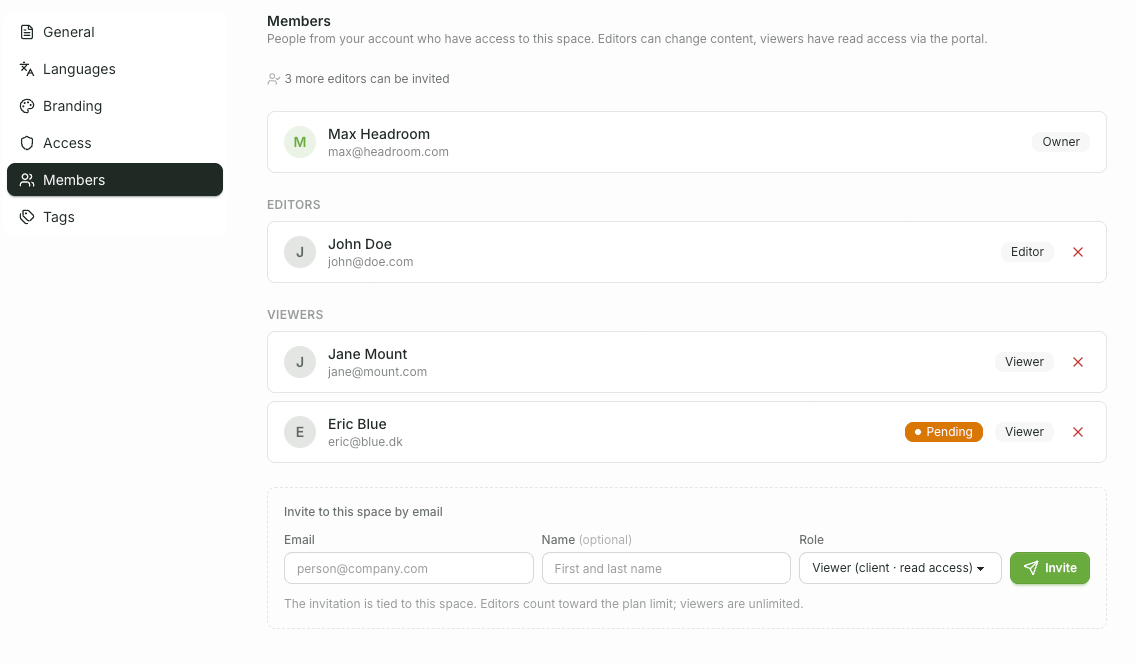
Customers are viewers and are assigned to each Space. You can manage this in Space Settings → Members.
Separate lists for editors and viewers of this Space.
Invite via email (with role selection) or add an existing account user.
Remove members again (with confirmation).
Customers will then only see the published content of the Spaces with login access to which they have been assigned.
How the membership and portal appear from the customer's perspective is described in the dedicated track. For Portal members.