Pages
Portal: Access for Members
Using portal access, your customers log in and only see the documentation released for them - ideal for confidential content.
Registered members can find their documentation in their portal.
Requirements: The Space is published, the access mode allows login, and the person is Member of the space (see Chapter Team & Members)
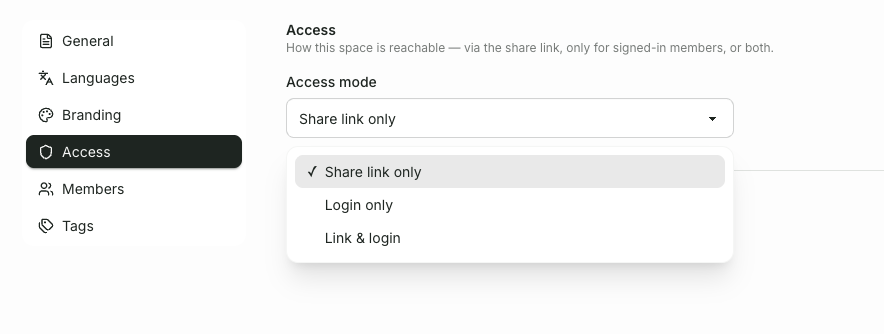
You can set the access mode in the Space settings under Access:
Share link only – available exclusively via the link.
Login Only – Access Exclusively for Registered Members.
Link & Login – both ways at once.