Pages
Invite colleagues
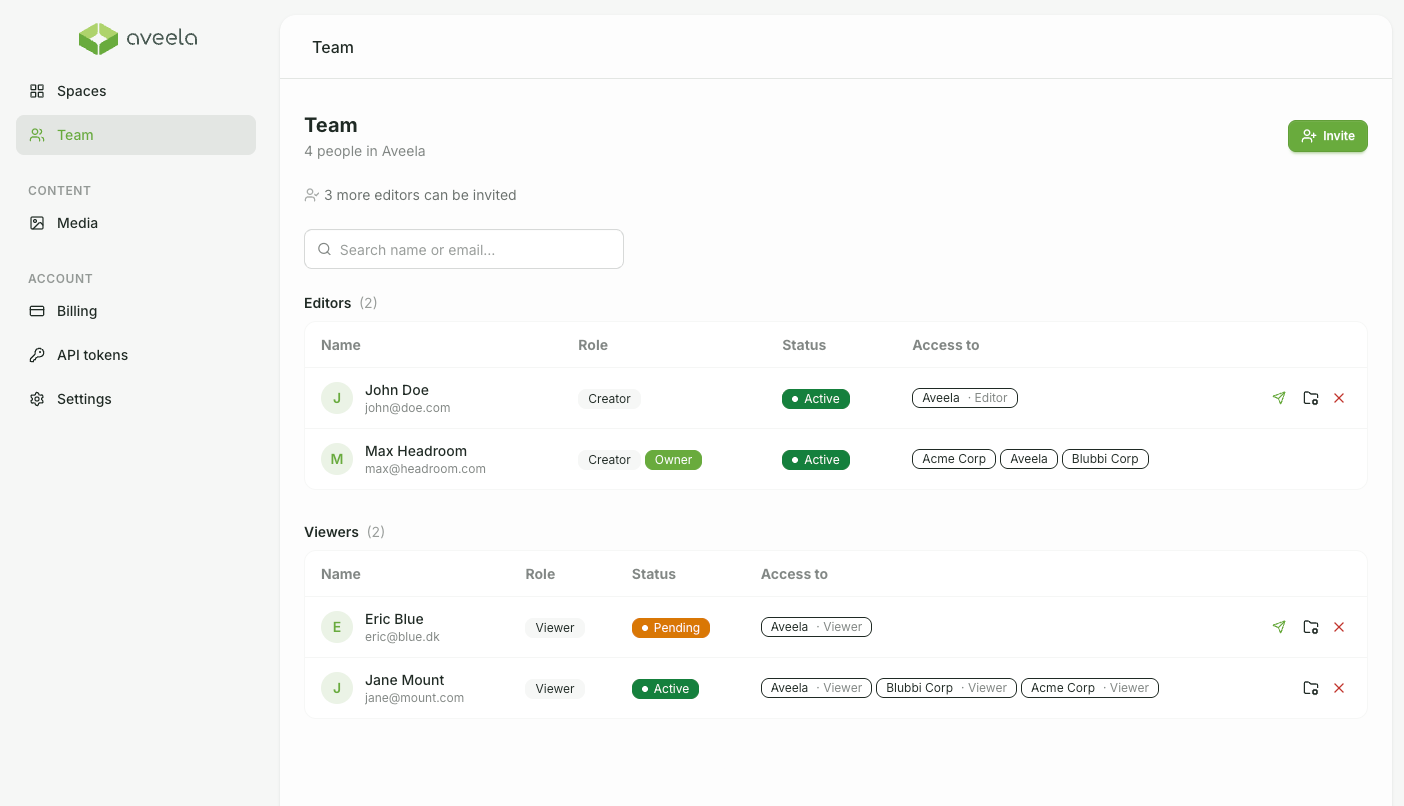
You can manage your team centrally via the Team navigation item (visible to account owners).
Invite by email
Enter your email address (required) and optionally a name, select a role, and - if desired - a Space:
Viewer (Customer · Read Access) – read-only access.
Co-Creator (can edit) – may edit content.
Places and Status
The number of editor slots depends on the plan ("X more editors can be invited"). Viewers are unlimited.
Aveela displays the latest invitation link for copying - handy if the email doesn’t arrive.
Per person, you can resend the invitation or remove the member again (with confirmation).
The status is Active or Pending (invitation not yet accepted). Invitations are valid for 14 days.