Pages
Surface & Navigation
The workspace is divided into a left navigation bar, a central work area, and—within a Space—a tab bar for its sections.
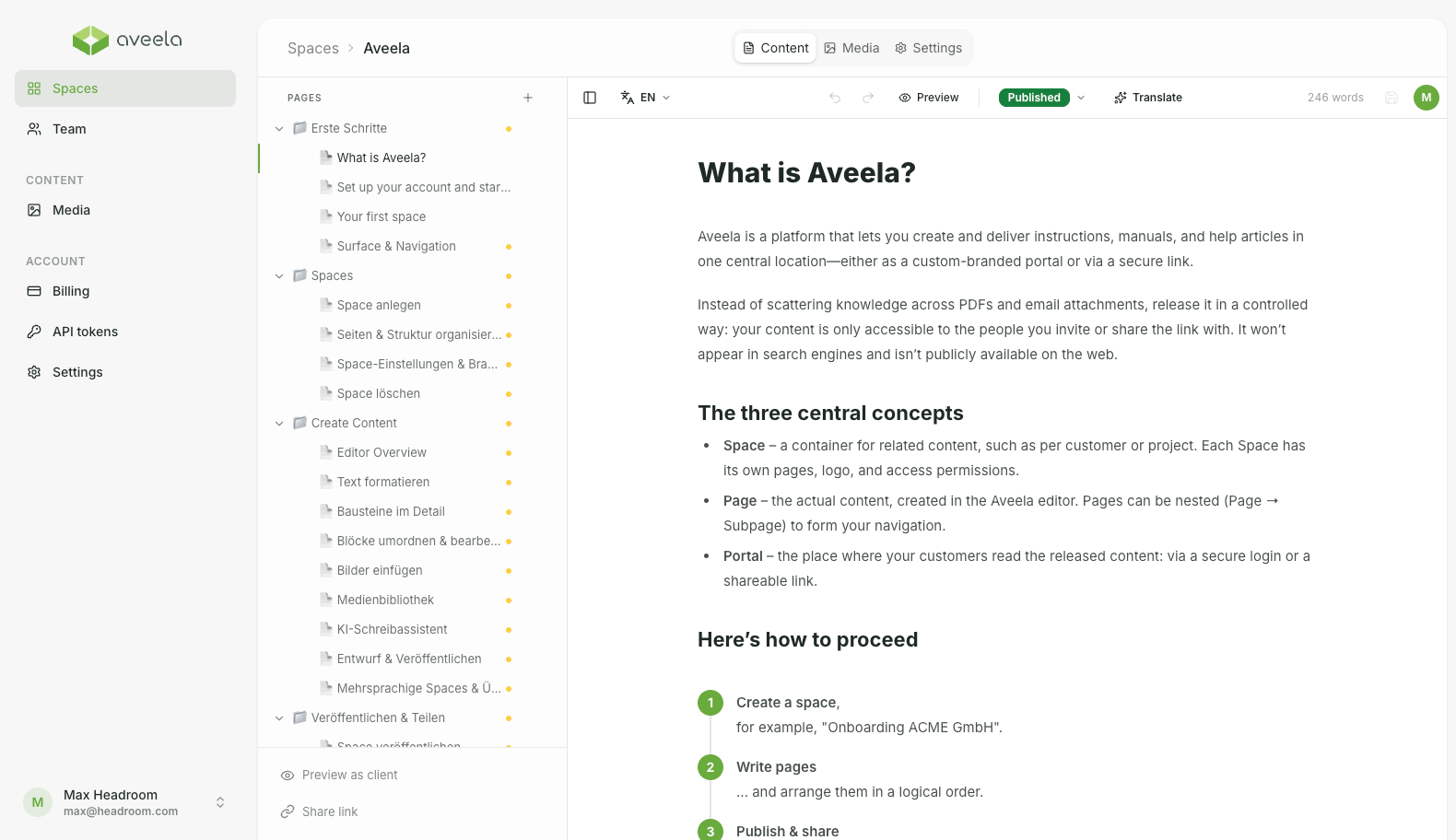
- Navigation bar
- Work area
- Tab Navigation
- Breadcrumb navigation
- Profile menu
The left navigation bar
She is accessible everywhere and divided into groups:
Spaces Overview of all your documentation and the starting point for creating and editing new documents.
Manage team members and access (visible only to owners and administrators).
Contents → Media The central media library across all Spaces.
Account → Billing · API Tokens · Settings Plan and invoices (owners/admins only), browser extension access, as well as branding and account settings.
On narrow screens, the bar collapses into a toolbar or a drop-down menu.
The work area
At the top, a breadcrumb navigation shows your current location. Once you open a Space, three tabs appear in the center:

Content The editor with the page list.
The files in this Space.
Space settings: name, branding, and other settings.
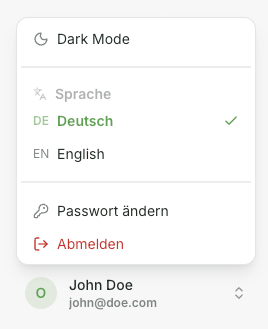
The profile menu
At the bottom in the navigation bar, your initials open a menu with:
Dark / Light mode
Language (German / English)
Change password
Log out